Turn a floor plan into a 3D house
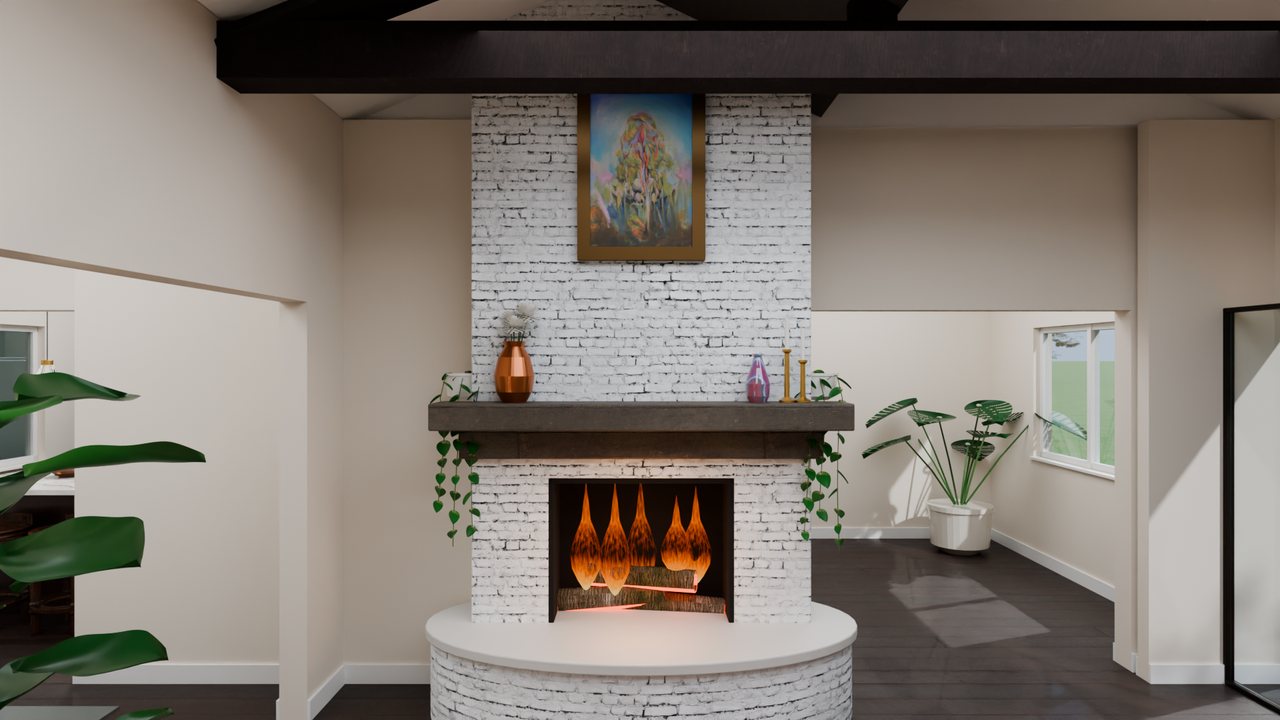
To turn a 2D floor plan into 3D with 3Dillo, send us a DWG or DXF file (or have Dillo, the AI drafter, draw one in CADdillo): 3Dillo raises the walls, sets doors and windows, furnishes and lights each room, and sends back photoreal stills or a walkthrough video by email.
Three ways to start
- A 3D template: pick a finished house and tell us what to change.
- Your own DWG or DXF: opening and exporting files never uses credits.
- From scratch: describe the house and Dillo drafts the plan in CADdillo, the same account.
What it costs
New accounts get 50 free credits. Every render, stills or a walkthrough, is 100 credits; see pricing for packs and the unlimited Premium plan.
Questions
How do I turn a floor plan into a 3D walkthrough?
Pick one of three starts, a ready-made 3D template, your own DWG or DXF file, or a plan drawn from scratch with Dillo, the AI drafter. Tell us about the plan on the contact page; we reply by email, and you attach the DWG or DXF to that reply.
3Dillo reads the walls, doors, windows and rooms from the drawing, furnishes and lights each room, then renders stills and a walkthrough video that follows a path from the front walk through every room. You watch the video next to the plan it came from.
Do I need to know Blender or any 3D software?
No. 3Dillo does the modelling, furnishing, lighting and rendering for you from the floor plan.
The renderer underneath is 3Dillo's own build of Blender, the open-source 3D suite, so the output is the same quality studios use. You never have to open it.
Can I start from my own DWG or DXF file?
Yes, and 3Dillo builds the 3D house from it. Tell us about the plan on the contact page; we reply by email, and you attach the DWG or DXF to that reply.
Opening, viewing, editing and exporting DWG and DXF files is free and uses no credits. Credits are only spent on AI work such as drawing a plan or rendering it in 3D.
What do I get back from a render?
Photoreal stills as PNG images and the walkthrough as an MP4 video.
The plan itself stays a CAD drawing you can export as DWG or DXF at any time, free.